
티스토리 뷰
작성일: 2026년 01월 19일
카테고리: AI, Knowledge Graph, LLM
키워드: Knowledge Graph Construction, Entity Extraction, Relation Extraction, LLM, Neo4j
요약
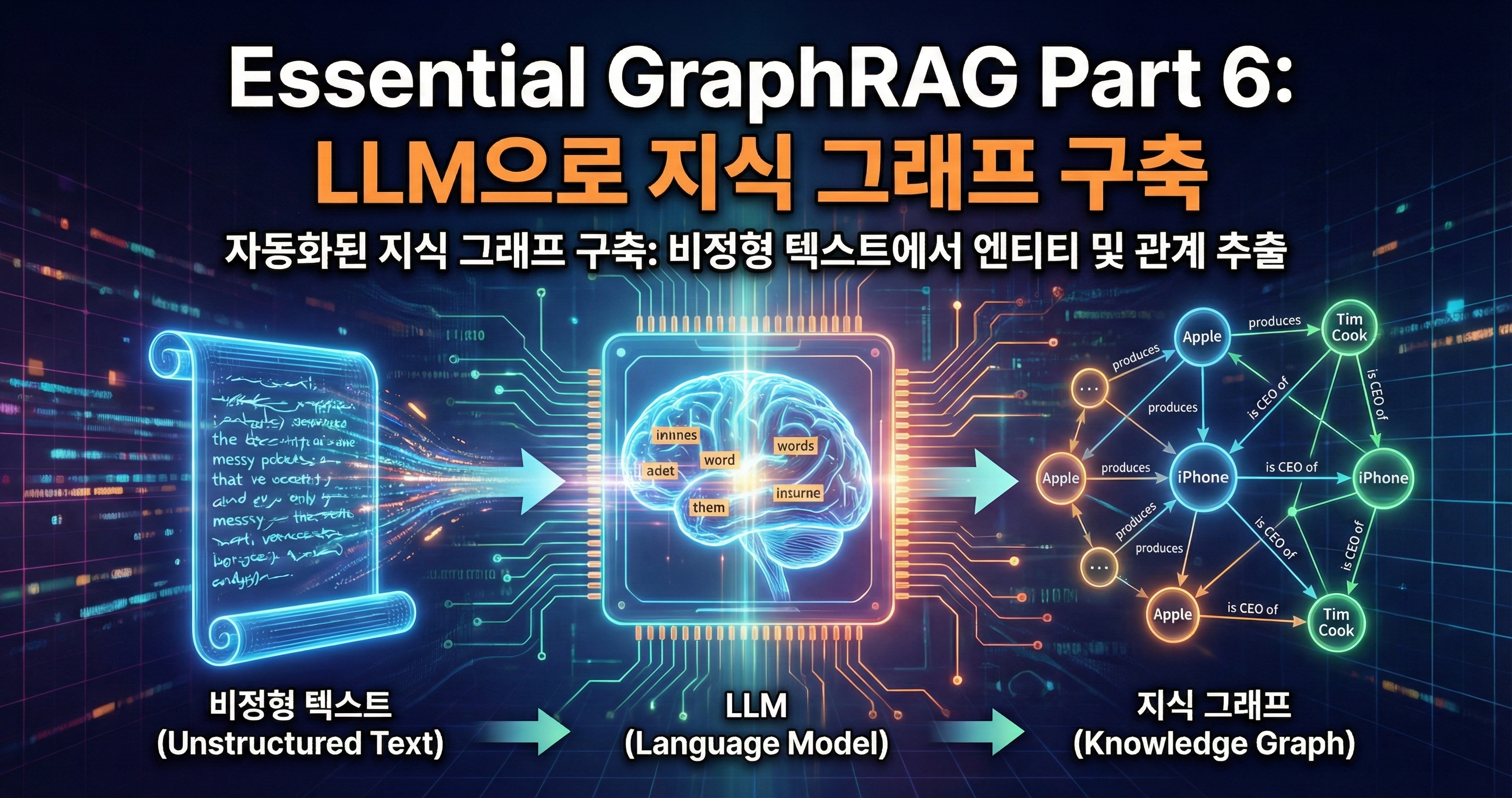
지식 그래프 기반 RAG는 그래프가 존재해야 작동한다. 수동으로 그래프를 구축하는 것은 비용이 크고 확장이 어렵다. 이 글에서는 LLM을 활용하여 비정형 텍스트에서 자동으로 엔티티와 관계를 추출하고 지식 그래프를 구축하는 방법을 다룬다.
수동 그래프 구축의 한계
전통적인 방식
1. 도메인 전문가가 온톨로지 설계
2. 데이터 분석가가 문서 분석
3. 수작업으로 엔티티/관계 추출
4. 검증 및 품질 관리문제점:
- 시간 소요: 문서 1개당 수 시간
- 확장성 부재: 문서가 늘어날수록 비용 증가
- 일관성 문제: 작업자마다 다른 판단
- 업데이트 어려움: 새 문서 추가 시 반복 작업
LLM 기반 자동화
문서 → LLM → 엔티티/관계 추출 → 지식 그래프LLM은 자연어 이해에 탁월하므로, 텍스트에서 구조화된 정보를 추출하는 데 적합하다.
엔티티/관계 추출 파이프라인
전체 아키텍처
graph TB
    D[문서] --> C[청킹]
    C --> E[엔티티 추출]
    E --> R[관계 추출]
    R --> V[검증/정규화]
    V --> G[(Knowledge Graph)]

    style D stroke:#2563eb,stroke-width:2px
    style G stroke:#16a34a,stroke-width:2px
1단계: 문서 청킹
긴 문서는 LLM의 컨텍스트 한계를 초과한다. 적절한 크기로 분할한다.
from langchain.text_splitter import RecursiveCharacterTextSplitter

splitter = RecursiveCharacterTextSplitter(
    chunk_size=2000,
    chunk_overlap=200,
    separators=["\n\n", "\n", ". ", " "]
)

chunks = splitter.split_text(document)
2단계: 엔티티 추출
from langchain_openai import ChatOpenAI
from pydantic import BaseModel, Field
from typing import List

class Entity(BaseModel):
    name: str = Field(description="엔티티 이름")
    type: str = Field(description="엔티티 유형 (Person, Organization, Product, Event 등)")
    description: str = Field(description="엔티티에 대한 간단한 설명")

class EntityList(BaseModel):
    entities: List[Entity]

llm = ChatOpenAI(model="gpt-4", temperature=0)
structured_llm = llm.with_structured_output(EntityList)

def extract_entities(text: str) -> List[Entity]:
    prompt = f"""다음 텍스트에서 주요 엔티티(사람, 조직, 제품, 이벤트 등)를 추출하세요.

텍스트:
{text}

각 엔티티에 대해 이름, 유형, 설명을 제공하세요."""

    result = structured_llm.invoke(prompt)
    return result.entities
3단계: 관계 추출
class Relation(BaseModel):
    source: str = Field(description="관계의 출발 엔티티")
    relation_type: str = Field(description="관계 유형 (WORKS_FOR, FOUNDED, LOCATED_IN 등)")
    target: str = Field(description="관계의 도착 엔티티")
    description: str = Field(description="관계에 대한 설명")

class RelationList(BaseModel):
    relations: List[Relation]

def extract_relations(text: str, entities: List[Entity]) -> List[Relation]:
    entity_names = [e.name for e in entities]

    prompt = f"""다음 텍스트에서 엔티티 간의 관계를 추출하세요.

텍스트:
{text}

추출된 엔티티: {entity_names}

각 관계에 대해 출발 엔티티, 관계 유형, 도착 엔티티, 설명을 제공하세요.
관계 유형은 동사 형태로 작성하세요 (예: WORKS_FOR, FOUNDED, ACQUIRED, LOCATED_IN)."""

    structured_llm = llm.with_structured_output(RelationList)
    result = structured_llm.invoke(prompt)
    return result.relations
4단계: 그래프 저장
from neo4j import GraphDatabase

def save_to_neo4j(entities: List[Entity], relations: List[Relation]):
    driver = GraphDatabase.driver("bolt://localhost:7687", auth=("neo4j", "password"))

    with driver.session() as session:
        # 엔티티 생성
        for entity in entities:
            session.run(
                f"""
                MERGE (e:{entity.type} {{name: $name}})
                SET e.description = $description
                """,
                name=entity.name,
                description=entity.description
            )

        # 관계 생성
        for rel in relations:
            session.run(
                f"""
                MATCH (a {{name: $source}})
                MATCH (b {{name: $target}})
                MERGE (a)-[r:{rel.relation_type}]->(b)
                SET r.description = $description
                """,
                source=rel.source,
                target=rel.target,
                description=rel.description
            )

    driver.close()
실전 예시
입력 텍스트
삼성전자는 1969년 이병철 회장이 설립한 대한민국의 대표적인 전자 기업이다.
본사는 서울 서초구에 위치해 있으며, 현재 CEO는 한종희이다.
2023년 반도체 사업부에서 갤럭시 S23 시리즈를 출시했다.
애플과는 스마트폰 시장에서 경쟁 관계에 있다.
추출 결과
엔티티:
[
  {"name": "삼성전자", "type": "Organization", "description": "대한민국 전자 기업"},
  {"name": "이병철", "type": "Person", "description": "삼성전자 설립자"},
  {"name": "한종희", "type": "Person", "description": "삼성전자 현 CEO"},
  {"name": "갤럭시 S23", "type": "Product", "description": "삼성전자 스마트폰"},
  {"name": "애플", "type": "Organization", "description": "스마트폰 제조 기업"},
  {"name": "서울 서초구", "type": "Location", "description": "삼성전자 본사 위치"}
]관계:
[
  {"source": "이병철", "relation_type": "FOUNDED", "target": "삼성전자"},
  {"source": "한종희", "relation_type": "CEO_OF", "target": "삼성전자"},
  {"source": "삼성전자", "relation_type": "LOCATED_IN", "target": "서울 서초구"},
  {"source": "삼성전자", "relation_type": "PRODUCES", "target": "갤럭시 S23"},
  {"source": "삼성전자", "relation_type": "COMPETES_WITH", "target": "애플"}
]
생성된 그래프
[이병철] ─FOUNDED→ [삼성전자] ─PRODUCES→ [갤럭시 S23]
                      │
                      ├─LOCATED_IN→ [서울 서초구]
                      │
                      ├─CEO_OF← [한종희]
                      │
                      └─COMPETES_WITH→ [애플]
품질 향상 전략
1. 온톨로지 사전 정의
LLM이 일관된 엔티티 타입과 관계 타입을 사용하도록 가이드한다.
ONTOLOGY = """
## 엔티티 타입
- Person: 사람 (이름, 직책)
- Organization: 회사, 기관 (이름, 산업)
- Product: 제품, 서비스 (이름, 카테고리)
- Location: 장소 (이름, 유형)
- Event: 사건, 이벤트 (이름, 날짜)

## 관계 타입
- FOUNDED: Person → Organization (설립)
- WORKS_FOR: Person → Organization (근무)
- CEO_OF: Person → Organization (CEO)
- LOCATED_IN: Organization → Location (위치)
- PRODUCES: Organization → Product (생산)
- ACQUIRED: Organization → Organization (인수)
- COMPETES_WITH: Organization → Organization (경쟁)
- OCCURRED_AT: Event → Location (발생 장소)
"""

prompt = f"""다음 온톨로지를 따라 엔티티와 관계를 추출하세요.

{ONTOLOGY}

텍스트:
{text}
"""
2. 엔티티 정규화
같은 엔티티가 다른 이름으로 추출될 수 있다.
def normalize_entity(name: str, existing_entities: List[str]) -> str:
    """유사한 기존 엔티티가 있으면 병합"""
    prompt = f"""다음 엔티티 이름이 기존 목록의 어떤 항목과 같은 대상을 가리키는지 판단하세요.

새 엔티티: {name}
기존 엔티티: {existing_entities}

같은 대상이 있으면 해당 이름을 반환하고, 없으면 'NEW'를 반환하세요."""

    result = llm.invoke(prompt).content.strip()

    if result != "NEW" and result in existing_entities:
        return result
    return name

# 예시
normalize_entity("삼성", ["삼성전자", "LG전자"])
# → "삼성전자"
3. 관계 검증
추출된 관계가 텍스트에 실제로 명시되어 있는지 확인한다.
def verify_relation(text: str, relation: Relation) -> bool:
    """관계가 텍스트에 근거하는지 검증"""
    prompt = f"""다음 텍스트에서 아래 관계가 명시적으로 언급되었는지 판단하세요.

텍스트: {text}

관계: {relation.source} -{relation.relation_type}-> {relation.target}

'YES' 또는 'NO'로만 답하세요."""

    result = llm.invoke(prompt).content.strip().upper()
    return result == "YES"
LangChain LLMGraphTransformer
LangChain은 이 과정을 자동화하는 도구를 제공한다.
from langchain_experimental.graph_transformers import LLMGraphTransformer
from langchain_community.graphs import Neo4jGraph
from langchain_openai import ChatOpenAI
from langchain.schema import Document

# 1. LLM 설정
llm = ChatOpenAI(model="gpt-4", temperature=0)

# 2. 그래프 변환기 생성
transformer = LLMGraphTransformer(llm=llm)

# 3. 문서를 그래프로 변환
documents = [
    Document(page_content="""
    삼성전자는 1969년 이병철 회장이 설립한 대한민국의 대표적인 전자 기업이다.
    본사는 서울 서초구에 위치해 있으며, 현재 CEO는 한종희이다.
    """)
]

graph_documents = transformer.convert_to_graph_documents(documents)

# 4. Neo4j에 저장
graph = Neo4jGraph(url="bolt://localhost:7687", username="neo4j", password="password")
graph.add_graph_documents(graph_documents)

# 5. 결과 확인
print(graph.schema)
허용 엔티티/관계 제한
transformer = LLMGraphTransformer(
    llm=llm,
    allowed_nodes=["Person", "Organization", "Product", "Location"],
    allowed_relationships=["FOUNDED", "WORKS_FOR", "PRODUCES", "LOCATED_IN", "COMPETES_WITH"]
)
대규모 문서 처리
배치 처리
import asyncio
from typing import List

async def process_document_batch(documents: List[Document], batch_size: int = 10):
    """문서를 배치로 처리"""
    results = []

    for i in range(0, len(documents), batch_size):
        batch = documents[i:i + batch_size]

        # 병렬 처리
        tasks = [transformer.aconvert_to_graph_documents([doc]) for doc in batch]
        batch_results = await asyncio.gather(*tasks)

        results.extend(batch_results)

        print(f"처리 완료: {min(i + batch_size, len(documents))}/{len(documents)}")

    return results
증분 업데이트
def update_graph_incrementally(new_document: Document):
    """기존 그래프에 새 문서 추가"""

    # 1. 새 문서에서 그래프 추출
    new_graph = transformer.convert_to_graph_documents([new_document])

    # 2. 기존 엔티티와 병합
    existing_entities = graph.query("MATCH (n) RETURN n.name AS name")
    existing_names = [e["name"] for e in existing_entities]

    for node in new_graph[0].nodes:
        normalized_name = normalize_entity(node.id, existing_names)
        node.id = normalized_name

    # 3. Neo4j에 추가 (MERGE로 중복 방지)
    graph.add_graph_documents(new_graph)
품질 평가
수동 검증 샘플링
import random

def sample_for_verification(graph_docs, sample_size: int = 10):
    """검증을 위한 샘플 추출"""
    all_relations = []
    for doc in graph_docs:
        all_relations.extend(doc.relationships)

    sample = random.sample(all_relations, min(sample_size, len(all_relations)))

    print("=== 검증 대상 관계 ===")
    for rel in sample:
        print(f"- {rel.source.id} -{rel.type}-> {rel.target.id}")

    return sample
자동 품질 지표
def evaluate_extraction_quality(text: str, graph_doc) -> dict:
    """추출 품질 평가"""

    # 1. 커버리지: 텍스트에 언급된 엔티티 중 추출된 비율
    mentioned_entities = extract_all_noun_phrases(text)  # 간단한 NLP
    extracted_entities = [n.id for n in graph_doc.nodes]
    coverage = len(set(extracted_entities) & set(mentioned_entities)) / len(mentioned_entities)

    # 2. 정밀도: 추출된 관계 중 검증된 비율
    verified = sum(1 for rel in graph_doc.relationships if verify_relation(text, rel))
    precision = verified / len(graph_doc.relationships) if graph_doc.relationships else 0

    return {
        "coverage": coverage,
        "precision": precision,
        "entity_count": len(graph_doc.nodes),
        "relation_count": len(graph_doc.relationships)
    }
핵심 정리
| 단계 | 설명 |
|---|---|
| 청킹 | 긴 문서를 처리 가능한 크기로 분할 |
| 엔티티 추출 | 텍스트에서 주요 개체 식별 |
| 관계 추출 | 엔티티 간의 관계 식별 |
| 정규화 | 중복 엔티티 병합 |
| 검증 | 추출 결과의 정확성 확인 |
다음 단계
LLM으로 지식 그래프를 자동 구축하는 방법을 다뤘다. 다음 글에서는 Microsoft가 개발한 GraphRAG 구현체를 분석한다. 커뮤니티 탐지와 계층적 요약을 통해 대규모 문서 집합에서 전역적 질문에 답하는 방법을 다룬다.
시리즈 목차
- LLM 정확도 향상
- 벡터 검색과 하이브리드 검색
- 고급 벡터 검색 전략
- Text2Cypher: 자연어를 그래프 쿼리로
- Agentic RAG
- LLM으로 지식 그래프 구축 (현재 글)
- Microsoft GraphRAG 구현
- RAG 평가 체계
참고 자료
공식 문서
논문
- Pan et al. (2024). "Unifying Large Language Models and Knowledge Graphs: A Roadmap"
'실제 경험과 인사이트를 AI와 함께 정리한 글' 카테고리의 다른 글
| Essential GraphRAG Part 8: RAG 평가 체계 (0) | 2026.01.19 |
|---|---|
| Essential GraphRAG Part 7: Microsoft GraphRAG 구현 (0) | 2026.01.19 |
| Essential GraphRAG Part 5: Agentic RAG - 스스로 판단하는 검색 시스템 (0) | 2026.01.19 |
| Essential GraphRAG Part 4: Text2Cypher - 자연어를 그래프 쿼리로 (0) | 2026.01.19 |
| Essential GraphRAG Part 3: 고급 벡터 검색 전략 (0) | 2026.01.19 |
공지사항
최근에 올라온 글
최근에 달린 댓글
- Total
- Today
- Yesterday
링크
TAG
- claude code
- LangChain
- frontend
- Ontology
- 개발 도구
- authentication
- knowledge graph
- Developer Productivity
- Rag
- Claude
- backend
- Go
- AI Development
- SHACL
- workflow
- LLM
- api gateway
- PYTHON
- security
- Kubernetes
- ai 개발 도구
- react
- architecture
- authorization
- Next.js
- Developer Tools
- AI
- troubleshooting
- AI agent
- Tailwind CSS
| 일 | 월 | 화 | 수 | 목 | 금 | 토 |
|---|---|---|---|---|---|---|
| 1 | 2 | 3 | ||||
| 4 | 5 | 6 | 7 | 8 | 9 | 10 |
| 11 | 12 | 13 | 14 | 15 | 16 | 17 |
| 18 | 19 | 20 | 21 | 22 | 23 | 24 |
| 25 | 26 | 27 | 28 | 29 | 30 | 31 |
글 보관함